
Description
What’s Inside the Pack
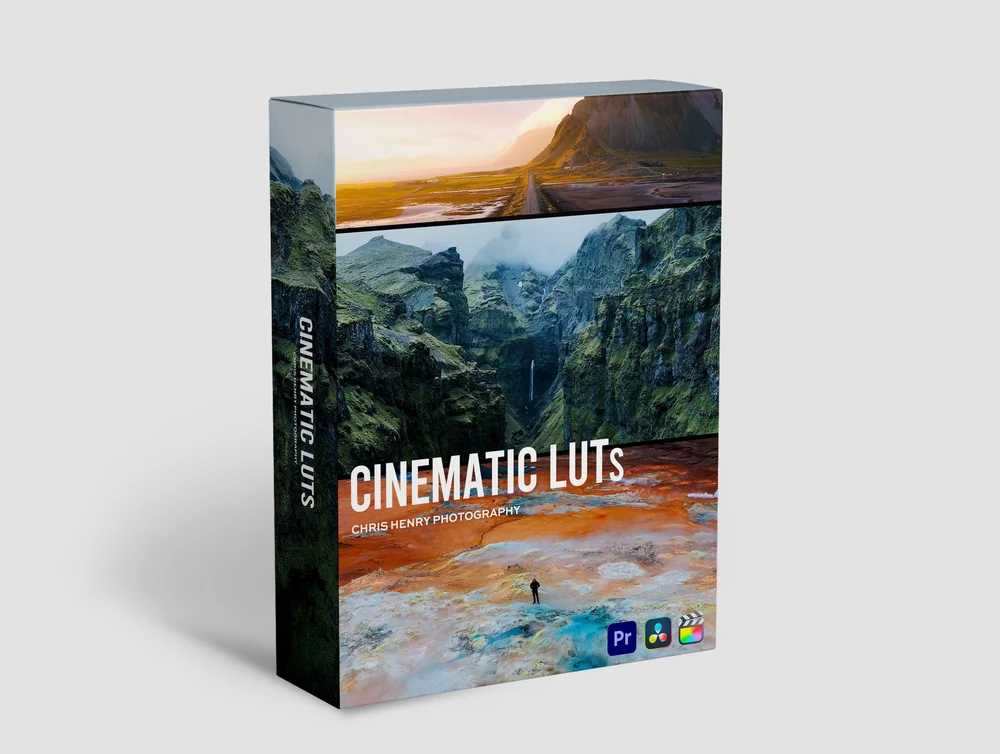
A complete cinematic color grading toolkit covering the looks editors and colorists pay for in agency work — packaged into 50 hand-tuned LUTs that work across every major editing app.
- Cinematic Film Looks — orange-and-teal, bleach bypass, classic Hollywood, Kodak film emulation
- Moody & Dark Tones — for thrillers, music videos, and dramatic narrative work
- Warm & Golden Hour Looks — for travel videos, lifestyle content, and wedding films
- Cool & Cyan Tones — modern tech, sci-fi, and corporate aesthetics
- Vintage & Retro Looks — Super 8, faded film, 70s nostalgia, analog
- Travel & Landscape Grades — vibrant, punchy looks built for outdoor footage
Why Creators Love These LUTs
- One-click application — drag a .CUBE file onto your clip and instantly transform the look
- Universal compatibility — works in 12+ major apps including Premiere Pro, DaVinci Resolve, Final Cut Pro, Photoshop, Lightroom, Avid, and Affinity Photo
- Built for log and standard footage — works on Rec.709, S-Log, V-Log, C-Log, BMD Film, and standard color profiles
- Adjustable intensity — every grade can be dialed up or down to match your style
- Royalty-free for commercial use — use across client projects, monetized YouTube, and paid social content
Technical Specifications
| Specification | Detail |
|---|---|
| File Format | .CUBE (32x32x32) |
| Total LUTs | 50 |
| Color Space | Rec.709 + Log compatible |
| File Size | ~12 MB (ZIP) |
| Compatible Software | Premiere Pro, DaVinci Resolve, Final Cut Pro X, Photoshop, Lightroom, After Effects, Avid Media Composer, Affinity Photo, Wondershare Filmora, Vegas Pro, Sony Catalyst, FFmpeg |
| Compatible Cameras | Sony, Canon, Nikon, Panasonic, Blackmagic, RED, ARRI, GoPro, DJI, iPhone Pro (Log) |
| Aspect Ratios | All — LUTs are resolution-independent |
How to Apply (Premiere Pro Example)
- Download and extract the ZIP file
- In Premiere Pro, select your clip → open the Lumetri Color panel
- Under Basic Correction → Input LUT, click Browse and pick any .CUBE file
- Adjust the Intensity slider to taste — done
Perfect For
Filmmakers, YouTubers, wedding videographers, travel vloggers, real estate videographers, photographers, social media creators, and anyone who wants Hollywood-grade color in seconds — without spending hours in the color panel.
Reviews
There are no reviews yet.